
Contents (17 sections)
Smartphones have become an integral part of our everyday lives, and ensuring they perform at their best is crucial. Here are ten essential tips for improving your smartphone's performance.
1. Regular Software Updates: Stay Current
Keeping your smartphone's operating system and apps up-to-date is vital for optimal performance. Manufacturers regularly release updates that not only enhance security but also improve speed by fixing bugs or optimising the system. A study by Gartner revealed that smartphones operating on the latest software could exhibit up to 30% better performance due to these enhancements. To check for updates on most devices, simply navigate to settings, select About Phone, and tap on Software Update.
2. Clean Up Storage: Free Up Space
Over time, clutter accumulates on our devices, slowing them down. Regularly check your storage usage in settings. Remove apps that you don’t use, delete old photos, and clear the cache in frequently used applications. Tools like built-in storage management apps can help identify large files and unnecessary data, allowing you to reclaim vital space and boost performance by up to 25%.
3. Optimise Battery Usage: Extend Lifespan
Battery performance directly influences smartphone speed. Using battery-saving modes can extend the functionality of your device. You can also deactivate background app refresh for apps which don’t need to be updated constantly. According to Samsung, users can improve their smartphone speed by upwards of 15% simply by managing background processes effectively.
4. Limit Background Processes: Streamline Functionality
While background processes are necessary for some applications, excessive activity can dramatically drain resources. Go to your settings and find the Apps tab. Restrict or uninstall apps that run in the background without your permission. Disabling auto-sync for non-essential apps can also free up valuable memory and CPU resources, resulting in faster performance.
5. Uninstall Unused Applications: Keep It Simple
Having too many apps can bog down your system. Aim for a minimalist approach. Identify applications that are seldom used and remove them. A study by Consumer Reports indicated that users who reduced their application count could see an increase in speed of up to 40%. Remember, fewer apps result in fewer demands on the processor and memory resources.
6. Monitor App Performance: Identify Issues
Regularly review which apps consume the most resources. Android and iOS devices allow you to see how much memory and battery each application uses. If an application is underperforming or frequently crashes, consider alternatives that are better optimised. Using apps like Files by Google can help you manage and track resource usage efficiently.
7. Use Light Themes: Reduce Resource Load
Did you know that using a light or dark theme can impact performance? Dark themes consume lesser power on OLED displays, which can lead to enhanced battery life and efficiency. Users adopting dark themes have reported improved battery endurance by around 20%. Check your phone's display settings to enable dark mode for an updated and better battery-friendly experience.
8. Factory Reset: A Fresh Start
If your smartphone remains sluggish despite trying other options, a factory reset can provide a fresh start. This action wipes your device clean and reinstalls the operating system. Remember to back up any important data, as this process erases everything. Users often experience up to a 50% performance increase following a reset, benefiting from a decluttered system.
9. Upgrade Hardware: Enhance Speed
If your device allows, consider upgrading essential hardware components like RAM or storage. Some smartphones support expandable memory via SD cards, which can significantly improve overall performance. Moreover, opting for devices with better specifications at the time of purchase ensures longer-lasting performance, especially as app demands increase over time.
10. Monitor Network Connections: Speedy Connectivity
A poor network connection can also make your smartphone feel sluggish. Ensure you’re connected to a reliable Wi-Fi network, as this affects the performance of internet-dependent applications. Using a speed test app can help you identify issues with your connection speed, allowing optimisation of connectivity and, consequently, a smoother experience in using internet services.
📺 For further insights: Explore detailed smartphone optimisation techniques. Search on YouTube using 2026 smartphone performance improvement.
Glossary
| Terme | Définition |
|---|---|
| Optimisation | Process of making a system function more efficiently and effectively. |
| Cache | Temporary storage area that allows data to be retrieved quickly; excessive cache can slow down device performance. |
| Factory Reset | A command that restores a device to its original system settings, deleting all data and applications in the process. |


Lenovo ThinkPad X1 Carbon Gen 13 Aura Edition Intel Core Ultra 7 255U Laptop 35.6 cm (14") WUXGA 32 GB LPDDR5x-SDRAM 1 TB SSD Wi-Fi 6E
Quzo UK
Checklist before performance improvement
- [ ] Check for software updates
- [ ] Clean up storage
- [ ] Optimise battery usage
- [ ] Limit background processes
- [ ] Uninstall unused applications
- [ ] Monitor app performance
- [ ] Use light themes
- [ ] Consider factory reset
- [ ] Upgrade hardware if possible
- [ ] Monitor network connections
Recommended Products
- - - ## Reading Time
Approximately 5 minutes
Recommended products
Selected by our experts

Lenovo ThinkPad X1 Carbon Gen 13 Aura Edition Intel Core Ultra 7 265U Laptop 35.6 cm (14") Touchscreen 2.8K 64 GB LPDDR5x-SDRAM 1 TB SSD Wi-Fi 7
Quzo UK
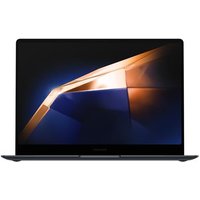
Samsung Galaxy Book4 Pro Business 14" Core Ultra 7 32GB 512GB Win 11 Pro
Quzo UK
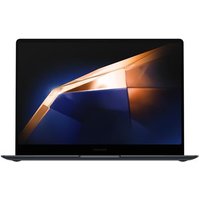
Samsung Galaxy Book4 Pro Business 14" Core Ultra 5 16GB 512GB Win 11 Pro
Quzo UK

ASUS ZenScreen MB16AMTR computer monitor 39.6 cm (15.6") 1920 x 1080 pixels Full HD LCD Touchscreen Black
Back to the Office

ASUS TUF Gaming A15 FA507NUR-LP012W AMD Ryzen™ 7 7435HS Laptop 39.6 cm (15.6") Full HD 16 GB DDR5-SDRAM 512 GB SSD NVIDIA GeForce RTX 4050 Wi-Fi 6
Back to the Office

ASUS ZenScreen MB16AHP computer monitor 39.6 cm (15.6") 1920 x 1080 pixels Full HD LED Black
Back to the Office

