
Contents (11 sections)
Selecting the ideal smartphone can feel overwhelming, especially given the vast number of options available. This comprehensive guide aims to simplify the process, breaking it down into manageable steps to help you find the best smartphone that suits your unique requirements. Whether you prioritise camera quality, battery life, or the latest tech features, understanding what to look for is essential.
📋 Table of Contents
- Understanding Your Needs
- Setting a Budget
- Researching Features
- Comparing Options
- Reviewing User Feedback
- Making Your Purchase
- Checklist before Purchase
- Glossary
- FAQ
Understanding Your Needs
The first step in finding the best smartphone is to clearly identify your needs. What will you primarily use your phone for? For example, if you enjoy photography, a smartphone with a high-resolution camera and excellent low-light performance should be your priority. Conversely, if you mostly use your phone for social media or messaging, you might focus on a model with a good display and battery life.
Consider your lifestyle; are you someone who travels often and needs a long battery life, or do you need a durable device that can withstand daily wear and tear? Furthermore, users are increasingly looking for smartphones with versatility in their photography capabilities, such as multiple cameras or advanced AI features. Understanding these aspects will guide your search effectively.
Setting a Budget
Before diving into the plethora of options, set a realistic budget. Smartphones vary significantly in price, from budget models to premium devices costing over £1,000. According to recent market trends, around 66% of consumers look for smartphones between £300 and £600, striking a balance between affordability and features.
When setting your budget, also consider additional costs such as accessories, warranty extensions, or mobile contracts. It’s wise to define a maximum limit to avoid overspending. Relying on the total cost of ownership, which includes data plans and potential repair costs, can also provide a clearer picture of what you can afford.
Researching Features
Once you know your needs and have established a budget, it’s time to research essential features. Start by identifying the most critical features that align with your requirements. Common features that you should compare include:
- Camera quality: Megapixels, aperture size, and stabilisation features are crucial for photography enthusiasts.
- Battery life: Look for tests showing endurance on typical use patterns; devices lasting 12-24 hours are generally more appealing.
- Processing power: A powerful processor ensures smooth multitasking and gaming capabilities.
- Storage capacity: Consider whether you require expandable storage or if a fixed amount will suffice.
Pay attention to the software experience (Android vs. iOS) and any unique features that might be appealing, such as 5G compatibility or water resistance. Make sure to read professional reviews from trusted tech websites and consumer forums to gauge real-world performance.
Comparing Options
Create a comparison table for smartphones you consider. This table can help visualise the pros and cons of different models in relation to your specific requirements. Here’s a simple comparison structure:
| Feature | Option A | Option B | Option C | Verdict |
|---|
This structured approach will allow you to assess which option aligns best with your goals clearly, making it simpler to narrow down your choices.
Reviewing User Feedback
User reviews can offer valuable insights into real-world expectations. Websites like GSM Arena or TechRadar provide extensive user reviews alongside expert analysis. Additionally, social media platforms and tech forums present a more informal viewpoint that can highlight everyday use cases.
Look for commonalities in feedback, such as specific design flaws or excellent customer service experiences that could influence your decision. Always check multiple sources to get an accurate representation rather than relying on only one platform. Pay attention to comments related to software updates, which can extend the useful life of certain models significantly.
Making Your Purchase
Once you’ve finalised your choices based on research and user feedback, consider how and where to make your purchase. Retailers may offer different prices or promotions, including bundled deals with accessories. Checking both online shops and physical stores can yield the best savings.
Additionally, consider purchasing through official brand outlets, which often provide better customer service and warranty options. Buying an unlocked phone can also afford you greater flexibility when choosing your mobile provider later on.
Checklist before Purchase
- [ ] Identify your primary usage (social media, photography, gaming)
- [ ] Set a clear budget and stick to it
- [ ] Research essential features relevant to your needs
- [ ] Create a comparison table for shortlisted options
- [ ] Consult user feedback across multiple platforms
- [ ] Finalise your purchase method (online or in-store)
- [ ] Check return policies and warranty options
Glossary
| Term | Definition |
|---|
| Android | An operating system developed by Google primarily for touchscreen mobile devices.
| iOS | The operating system used exclusively by Apple devices, known for its user-friendly interface.
| 5G | The fifth generation of mobile networks that provides faster transmission speeds and more reliable internet connections.
📺 Pour aller plus loin : [Découvrez les dernières tendances smartphone en 2026], une analyse complète de l'évolution des technologies smartphone. Recherchez sur YouTube : "latest smartphone technologies 2026".
📺 Pour aller plus loin : smartphone buying guide 2026 sur YouTube
Recommended products
Selected by our experts


Frei Ol Skincare Frei OI Skincare Pollution Active Oil Essence 30ml
beautyflash.co.uk

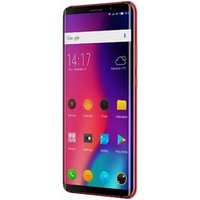
18:9 FHD Screen Elephone U 5.99 inch MTK6763 Octa Core 6GB+128GB 13.0MP Face ID 4G smartphone best quality Android 7.1 mobile
Alibaba UK

Samsung Galaxy S26 Ultra 17.5 cm (6.9") Dual SIM Android 16.0 5G USB Type-C 12 GB 256 GB 5000 mAh Violet
Back to the Office

Samsung Galaxy S26 Ultra 17.5 cm (6.9") Dual SIM Android 16.0 5G USB Type-C 12 GB 512 GB 5000 mAh Blue
Back to the Office

