
Contents (10 sections)
In our fast-paced world, utilising our smartphones effectively is essential for personal and professional productivity. With just a few key strategies, we can turn these powerful devices into essential productivity tools.
1. Understand Smartphone Productivity
Before diving into specific tips, it's crucial to grasp what smartphone productivity means. It encompasses the efficient use of mobile technology to accomplish tasks efficiently. A smartphone is not just a communication device; it can serve as your calendar, note-taker, task manager, and more. According to a report by Statista, in 2026, approximately 70% of professional tasks are completed using mobile devices, highlighting the importance of mastering smartphone productivity.
Having a clear understanding of productivity also involves recognising the distractions prevalent on smartphones. With social media notifications, endless app updates, and games vying for our attention, it becomes easy to lose focus. Thus, the first step is to acknowledge these challenges and set a framework for how to combat them.
2. Set Up Your Home Screen Wisely
Your smartphone's home screen layout plays a vital role in your productivity levels. Having easy access to your most-used applications can minimise time spent searching for tools.
- Organise by Frequency: Place your most-used apps (like calendar, email, and note-taking tools) directly on the home screen or in the dock for quick access.
- Use Folders: Group similar applications together — for instance, social media apps in one folder and productivity tools in another.
- Limit Distractions: Consider moving distracting apps off your home screen. The fewer temptations you have, the easier it is to focus.
Additionally, customizing app notifications can dramatically reduce distractions during work hours. Keep only essential alerts active, silencing those that do not contribute directly to your productivity objectives.
3. Implement Task Management Apps
Task management apps are vital for organising your daily workload. With a plethora of options available, choose one that suits your style. Here are a few popular categories:
- To-Do Lists: Apps like Todoist and Microsoft To Do let you create simple task lists that can be organised by urgency or category.
- Project Management: Tools like Trello or Asana are excellent for managing larger projects or team collaborations.
- Time Tracking: For those looking to understand how they spend their time, apps like Toggl can offer invaluable insights.
Pro Tip: When entering tasks, make them clear and actionable. Instead of writing “start project”, specify “research for project X” to maintain focus.
4. Maximise the Use of Calendar Apps
Integrating calendar systems effectively can ensure you never miss an important meeting or deadline. Google Calendar or Microsoft Outlook are great for keeping track of appointments and reminders.
- Integrate with Other Apps: Synchronise your calendar with task management apps — many support this feature. Doing so will help you see what needs to be completed within the context of your schedule.
- Set Reminders: Use alerts to remind you of important dates or tasks leading up to deadlines.
- Weekly Reviews: Dedicate time weekly to review your calendar, adjusting and adding tasks as needed.
5. Use Voice Control and Virtual Assistants
Smartphones now come equipped with advanced voice control features and virtual assistants. Using these effectively can save time and effort:
- Set Reminders and Tasks: Use your assistant to add tasks to your list without typing.
- Hands-Free Navigation: Whether driving or multitasking, voice commands can help you send texts or find information without needing to stop what you're doing.
- Leverage Smart Integrations: Connect your phone to smart devices at home or work, enabling easier management of your environment, such as adjusting lighting or thermostat settings via voice commands.
6. Stay Focused with Mindfulness and Digital Wellbeing Tools
Distractions are often our worst enemies when it comes to productivity. Various built-in tools and apps help you remain mindful of your phone use:
- Screen Time Monitoring: Use your phone’s built-in Digital Wellbeing features to monitor and limit usage of non-productive apps. Set daily limits on applications that distract you.
- Focus Modes: Both iOS and Android offer a Do Not Disturb feature to reduce interruptions during work hours. Customise these settings so only certain notifications come through.
Common Pitfalls to Avoid:
- Avoid overloading yourself with too many productivity apps simultaneously. Choose a few and learn to maximise their capabilities rather than using everything available.
- Try not to constantly switch between apps. Focus on one task at a time, as multitasking can reduce overall productivity.
Checklist for Maximising Smartphone Productivity
- [ ] Organise your home screen with priority apps.
- [ ] Select and customise task management applications.
- [ ] Ensure your calendar is integrated with reminders.
- [ ] Utilise voice control for hands-free productivity.
- [ ] Regularly review app usage for potential distractions.
Glossary
| Terme | Définition |
|---|---|
| Produit numérique | Application ou service accessible par voie électronique, souvent sur smartphones. |
| Gestion de tâches | Technique d’organisation permettant de suivre et prioriser des tâches à réaliser. |
| Assistant virtuel | Programme informatique capable d'effectuer des tâches en réponse à des commandes vocales ou textuelles. |
> 📺 Pour aller plus loin : Explore the best ways to enhance your smartphone productivity for work and daily tasks.
🧠 Quiz rapide :
> What is the best approach to avoid distractions on your smartphone?
> - A) Keep all apps on the home screen.
> - B) Use folders for organisation.
> - C) Disable all notifications completely.
> Réponse : B — Organising apps into folders helps reduce distraction and improve efficiency.
Utilising your smartphone effectively can significantly enhance your productivity. By putting these techniques into practice, you’ll harness the full potential of your device.
For more tips and relevant products, check out our recommendations below.
📺 Pour aller plus loin : smartphone productivity tips 2026 sur YouTube
Recommended products
Selected by our experts

Lenovo ThinkPad X1 Carbon Gen 13 Aura Edition Intel Core Ultra 7 265U Laptop 35.6 cm (14") Touchscreen 2.8K 64 GB LPDDR5x-SDRAM 1 TB SSD Wi-Fi 7
Quzo UK

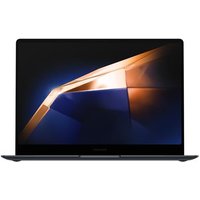
Samsung Galaxy Book4 Pro Business 14" Core Ultra 7 32GB 512GB Win 11 Pro
Quzo UK

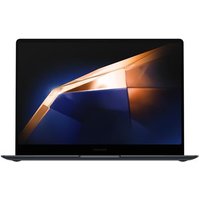
Samsung Galaxy Book4 Pro Business 14" Core Ultra 5 16GB 512GB Win 11 Pro
Quzo UK


