Contents (11 sections)
- What is Mobile Privacy Protection?
- Step 1: Update Your Device
- Step 2: Use Strong Passwords and Biometrics
- Step 3: Manage App Permissions
- Step 4: Enable Encryption and Security Features
- Step 5: Install Security Software
- Checklist for Mobile Privacy Protection
- Glossary
- FAQ
---
What is Mobile Privacy Protection?
Mobile privacy protection is the practice of safeguarding personal information that is stored or transmitted via mobile devices such as smartphones and tablets. Given the increasing amount of sensitive data being accessed or shared on these devices, ensuring privacy has become vital. This encompasses preventing unauthorised access to personal data, controlling app permissions, and using encryption and security features.
In recent years, there has been a significant rise in mobile data breaches, with a report by ThreatFabric revealing a 500% increase in mobile banking trojans from 2019 to 2022. These statistics highlight the pressing need for proactive measures regarding mobile privacy. Users must stay informed about security settings and regularly update their knowledge on potential threats. Understanding how to protect your mobile device ensures a safer usage experience, allowing you to enjoy the digital conveniences modern technology provides without undue risk.
Step 1: Update Your Device
The first step in mobile privacy protection is consistently updating your device. Manufacturers regularly release updates to fix security vulnerabilities. Neglecting these updates can leave your device exposed to threats such as malware, viruses, and hacking attempts.
How to ensure updates?
- Check for updates regularly by navigating to the settings menu on your device.
- Enable automatic updates if available. This feature ensures your device receives the latest security patches without your intervention.
According to the Global System for Mobile Communications Association (GSMA), 40% of consumers fail to update their mobile devices regularly. This oversight can expose them to unnecessary risks. Regularly informing yourself about recent updates and understanding the associated benefits play a crucial role in maintaining mobile privacy.


Protection d'écran Privacy Garanti à Vie en Organique Force Glass pour iPhone X/XS/11 Pro
Darty FR

Protection d'écran Privacy Garanti à Vie en Verre Trempé Force Glass pour iPhone XS Max/11 Pro Max
Darty FR
Step 2: Use Strong Passwords and Biometrics
Using robust passwords is critical to mobile privacy protection. Avoid simple passwords that can be easily guessed. Instead, create complex passwords that combine uppercase and lowercase letters, numbers, and symbols. Additionally, consider using a password manager to securely store your passwords.
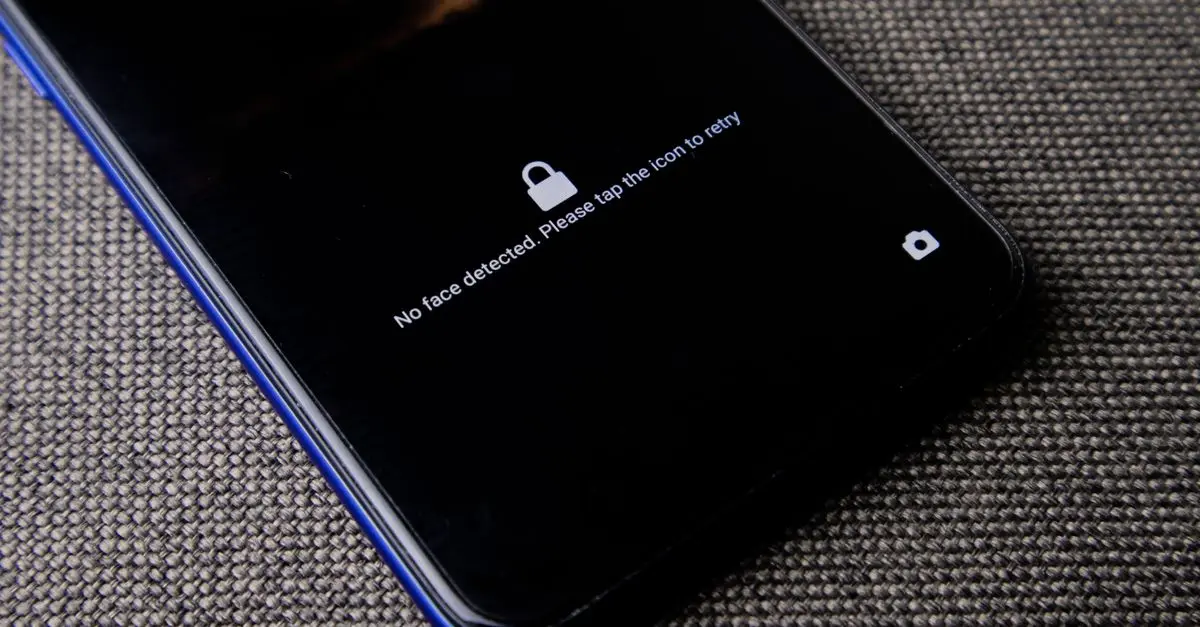
Incorporating biometric security measures, such as fingerprint scanners or facial recognition, enhances your device's security. Biometrics provide an additional layer of security. For instance, even if your password is compromised, unauthorised users would still struggle to access your data.
It's essential to educate yourself on the aspects of creating secure passwords. For instance, always change default passwords provided by manufacturers or applications. An infrequent mistake is using the same password across multiple platforms. This practice increases vulnerability, so it’s wise to establish unique passwords for different accounts.
Step 3: Manage App Permissions
Often overlooked, managing app permissions is a crucial aspect of mobile privacy protection. Every app you install requests access to specific device features, such as your camera, contacts, and location. Allowing unnecessary permissions can leave your data vulnerable.
Best practices include:
- Reviewing permissions regularly through your device's settings.
- Only granting permissions that are essential for the app to function. For instance, a weather app does not need access to your contacts or camera.
Statistics from the Pew Research Center reveal that 49% of smartphone users have uninstalled apps after learning about their permissions. Users are becoming increasingly aware of their privacy rights, making it imperative to exercise caution while granting permissions. This awareness results in a significant improvement in mobile privacy practices and habits.
Step 4: Enable Encryption and Security Features
Mobile devices come equipped with several encryption and security features that enhance overall privacy. Encryption is the process of encoding information, making it inaccessible without the proper key. Based on a study by IBM, end-to-end encryption can thwart 90% of unapproved access attempts.
To enable encryption:
- Navigate to your device's security settings and activate device encryption.
- Ensure that your messages and communications are also encrypted by using applications that offer end-to-end encryption.
Security features like two-factor authentication (2FA) further strengthen your privacy. Activating this feature adds an extra step to the login process, requiring not only a password but also a temporary code sent to your device, thereby reducing the risk of unauthorised access. Incorporating these measures provides a robust defence against potential threats while safeguarding your personal information.
Step 5: Install Security Software
The final step towards comprehensive mobile privacy protection involves installing reliable security software. Security solutions offer protection against malware, spyware, and other security threats that could compromise your device.
Choosing the right software includes:
- Researching reputable programs with positive user feedback.
- Opting for solutions that offer the essential features you require, such as anti-virus protection and safe browsing.
Some well-regarded apps have been shown to block 99% of malware, making them an invaluable addition to personal device security. According to AV-Test Institute, using antivirus protection can reduce the likelihood of falling victim to malware attacks by up to 60%. Regularly updating your security software is also vital to safeguard your device effectively against evolving threats.
---
Checklist for Mobile Privacy Protection
- [ ] Regularly update your device software.
- [ ] Use strong, unique passwords.
- [ ] Enable biometric security features.
- [ ] Review and manage app permissions.
- [ ] Activate encryption settings.
- [ ] Install reputable security software.
Glossary
| Terme | Définition |
|---|---|
| Mobile Privacy Protection | Efforts and strategies employed to secure personal data on mobile devices. |
| Encryption | The conversion of data into a secure format that is unreadable without the correct key. |
| Two-Factor Authentication (2FA) | An additional security layer requiring two types of verification to access an account. |
Q: What is mobile privacy protection?
A: It refers to safeguarding personal information on mobile devices from unauthorised access and threats.
Q: How often should I update my device?
A: Regularly check for updates—ideally, every month—to ensure optimal security.
Q: Are free security apps effective?
A: Some free apps may offer basic protection; however, premium versions often provide more comprehensive security features.
Q: What is the best way to manage app permissions?
A: Review app permissions regularly and only grant access that is necessary for functionality.
📺 For further insights: Search on YouTube for "best practices for mobile privacy protection".
---
## Recommended Products
- - - ---
Total Words: 973
📺 Pour aller plus loin : The Complete Android Privacy & Security Guide: Your Best Protection! sur YouTube
Recommended products
Selected by our experts
Verre trempé teinté pour Huawei Mate 30 - Privacy
Darty FR
This privacy screen protector helps to prevent visual hacking and offers an additional layer of security for your screen.
Protection d'écran Privacy Garanti à Vie en Organique Force Glass pour iPhone X/XS/11 Pro
Darty FR
This screen protector ensures that your personal information remains private, reducing the risk of exposure in public.
Protection d'écran Privacy Garanti à Vie en Verre Trempé Force Glass pour iPhone XS Max/11 Pro Max
Darty FR
By using a high-quality screen protector, you can safeguard your device from scratches while protecting your privacy.