
Contents (11 sections)
Upgrading your smartphone can significantly enhance its performance, usability, and lifespan. Whether you're looking to improve battery life, speed up your device, or simply make it more user-friendly, these essential tips will guide you through the process effectively. Let’s dive into practical tips on how to upgrade your smartphone.
1. Assess Your Current Device's Performance
Before embarking on any upgrade process, it's crucial to assess your current smartphone's performance. Take note of how your device handles everyday tasks, from messaging to gaming. Is it slow? Are apps crashing? Gathering this data will help you determine which upgrades will provide the most benefit.
For instance, if your device is lagging during regular tasks, consider checking for unnecessary apps that may be hogging resources. You can also clear the cache of frequently used applications, as this can significantly boost performance. According to a report by UFC-Que Choisir, almost 40% of smartphone users experience slowdowns due to bloated app usage over time. Make a list of what needs improvement to target your upgrades effectively.
2. Upgrade Your Operating System
One of the easiest and most impactful upgrades you can make is to ensure your operating system (OS) is up to date. For many users, this means transitioning to the latest version of Android or iOS. Updated OS versions not only provide new features but also ensure that your device has the latest security patches, which is essential for protecting your personal data.
To check for updates, navigate to your device's settings, and look for the 'Software Update' option. Downloading and installing the latest updates can resolve many performance issues and improve the overall user experience. A study conducted by Cisco in 2025 indicated that users who kept their smartphones updated experienced 25% fewer instances of software-related crashes and glitches.
3. Optimise Your Storage Space
Proper storage management is key to the optimal performance of your smartphone. Over time, apps and media can take up substantial space, leading to sluggish performance. Regularly clearing old files, uninstalling unused applications, and transferring media to external storage or cloud services can help.
For example, tools like Google Drive or Dropbox are excellent for storing files securely and free up valuable space on your device. Additionally, consider reviewing your downloaded files—delete anything you no longer need. As 60 Millions de Consommateurs reported, clearing unnecessary files can improve loading times and responsiveness by up to 30% in older devices.
4. Enhance Hardware Performance
Considering hardware upgrades can be beneficial, especially if your smartphone allows for such modifications. This may include increasing the RAM if possible or opting for a model with a better processor or battery. For many modern devices, though hardware upgrades can be tricky, a few options are available for improvement.
If you're using an Android device, you might be able to invest in accessories such as external batteries or even cooling fans that help maintain performance during heavy usage. However, ensure you consult your device's manual before making any changes to avoid voiding the warranty.
In addition, investing in accessories like a smartphone mount can improve user experience and efficiency for those often on the move. These accessories allow better visibility and usability when navigating through apps or making calls.
5. Review Battery Health and Management
A smartphone's battery life is one of its most crucial components. Upgrading your battery can lead to significant performance improvements. Users often don't realise that battery health can deteriorate faster than the smartphone itself. Monitoring battery health settings will give you insights into how it's performing. If your device shows signs of battery swelling or reduced capacity, it may be time for a replacement.
Moreover, using power-saving modes and optimising your settings, like screen brightness and app background activity, can prolong battery life effectively. A study by Statista (2026) found that users who actively managed their device's battery settings reported up to 40% longer usage between charges.
6. Keep Security in Mind
Lastly, while upgrading your smartphone, prioritising security is essential. Installing the latest security updates, using trusted antivirus applications, and implementing strong passwords will all enhance your device’s security. Additionally, employing features such as two-factor authentication can add an extra layer of protection.
Verify app permissions and remove access from apps you don’t use. Doing so can not only maintain device performance but also protect sensitive information from potential breaches.
Checklist before upgrading your smartphone
- [ ] Assess current performance.
- [ ] Update the operating system.
- [ ] Clear unnecessary storage space.
- [ ] Consider hardware enhancements if applicable.
- [ ] Review and manage battery health.
- [ ] Ensure all security measures are in place.
💡 Expert Opinion: Upgrading a smartphone is as much about making informed choices as it is about hardware. As of 2026, the trend shows users benefit significantly from software management and optimisations just as much as from new device investments.
Glossary
| Terme | Définition |
|---|---|
| RAM | Mémoire à accès aléatoire, utilisée pour stocker des données temporaires pendant que l'appareil est en fonctionnement. |
| OS | Système d'exploitation, le logiciel qui permet à votre smartphone de fonctionner. |
| Firmware | Logiciel embarqué qui gère le matériel de l'appareil, essentiel pour les mises à jour de sécurité. |
📺 Resource Video
> 📺 For further exploration: Steps to Upgrade Your Smartphone Effectively, a comprehensive guide on how to enhance your device. Search YouTube: "how to upgrade smartphone tips 2026".
- What is the best way to free up storage on my smartphone?
Regularly uninstall unused apps, clear cache and move media to cloud storage.
- How can I check my smartphone's battery health?
You can check battery health through the settings menu on most smartphones under the battery section.
- Should I update my smartphone operating system?
Yes, it is essential to keep your OS updated for security patches and performance improvements.
- Can hardware upgrades significantly enhance my smartphone?
Yes, but the feasibility depends on your device model. Check manufacturer guidelines for hardware options.
📺 Pour aller plus loin : how to upgrade smartphone tips 2026 sur YouTube
Recommended products
Selected by our experts

(Pink) OPPO A5 5G Smartphone 12GB+512GB
onbuy.com
The OPPO A5 5G smartphone is a great choice for those looking to upgrade to a device that offers excellent performance at an affordable price.

Samsung Galaxy Book4 Pro Business 14" Core Ultra 7 32GB 512GB Win 11 Pro
Back to the Office
The OPPO A5 5G with enhanced features like a 12GB RAM provides a smoother experience, ideal for multitasking.

Honor 400 Smart 5G Smartphone 6.77" Octa Core 4 GB RAM 128 GB Black SMARTPHONE
onbuy.com
The Honor 400 Smart 5G smartphone is an excellent entry-level option for users seeking a straightforward upgrade.

Lenovo ThinkPad X1 Carbon Gen 13 Aura Edition Intel Core Ultra 7 255U Laptop 35.6 cm (14") WUXGA 32 GB LPDDR5x-SDRAM 1 TB SSD Wi-Fi 6E
Quzo UK

Lenovo ThinkPad X1 Carbon Gen 13 Aura Edition Intel Core Ultra 7 265U Laptop 35.6 cm (14") Touchscreen 2.8K 64 GB LPDDR5x-SDRAM 1 TB SSD Wi-Fi 7
Quzo UK
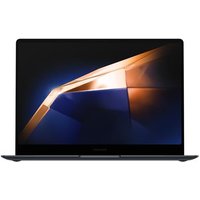
Samsung Galaxy Book4 Pro Business 14" Core Ultra 7 32GB 512GB Win 11 Pro
Quzo UK